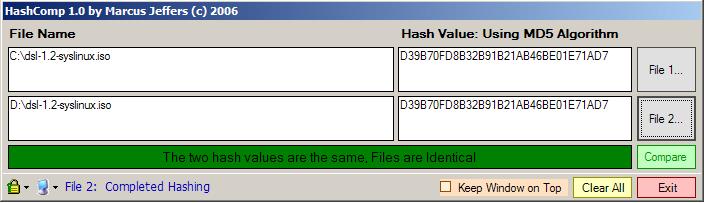
What is HashComp?
- HashComp is a small program that allows you to generate and verify files using an array of Hashing Algorithms. HashComp currently supports MD5, SHA1 and SHA256 with more to come.
- HashComp makes it easy to validate files you have downloaded. You can run it against your downloaded file and then compare it against the files original MD5, SHA1, or SHA256 hash value. You can even paste the files original hash value into the File 2 "Hash Value" column and click the "Compare" button to validate it.
What Can HashComp Be Used For?
- This can be used to verify that your backups have not become corrupted.
- Verify software you have downloaded has NOT been changed / altered or damaged during download or backup.
- Easily create Hashes for your own software that will let others verify that your software has not been changed / altered or damaged during their download or backup.
Key features of HashComp:
- Easily compare two files by hash value.
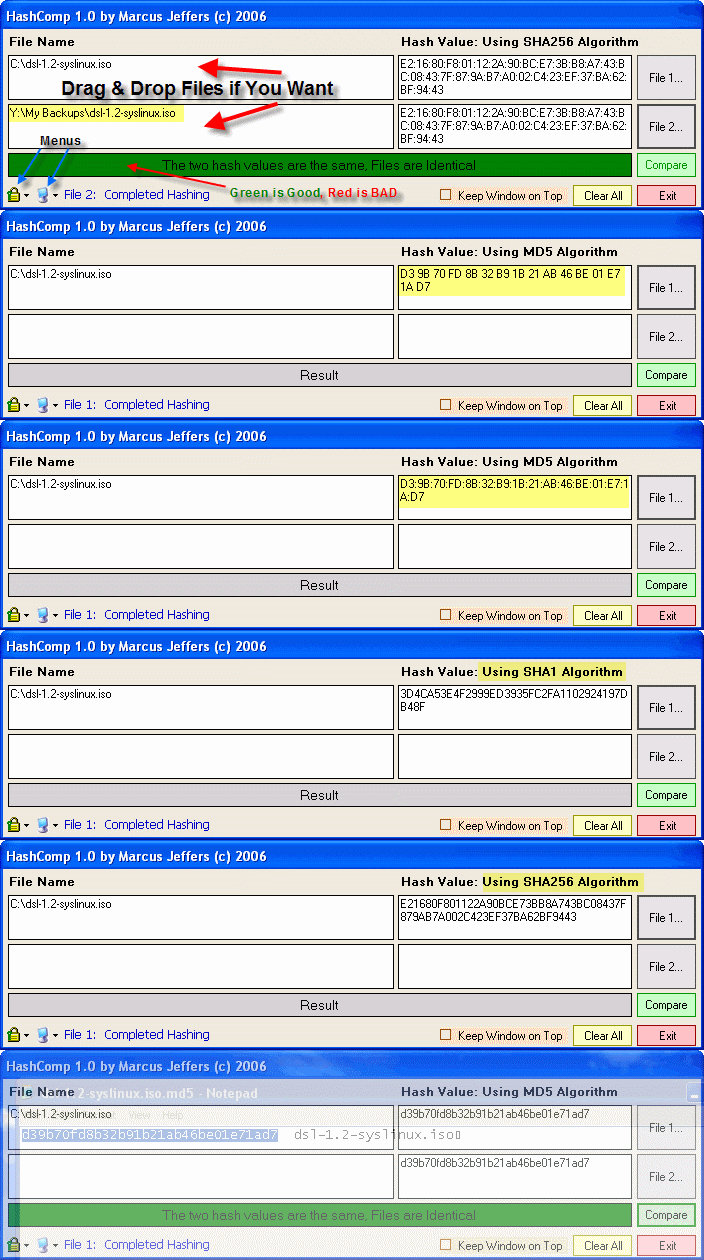
- Drag and Drop files to compare or use the standard File Open dialog.
- Choose from various Hashing Algorithms: MD5, SHA1, SHA256.
- Choose from various Hash value formats: ex. AABBCC, AA BB CC, AA:BB:CC, and aabbcc (Unix style).
- You can change the transparency of the HashComp window so you can read window contents behind it.
- Option to keep the HashComp window on top of all other windows; useful for drag-and-drop, etc.
System Requirements:
-
Windows XP